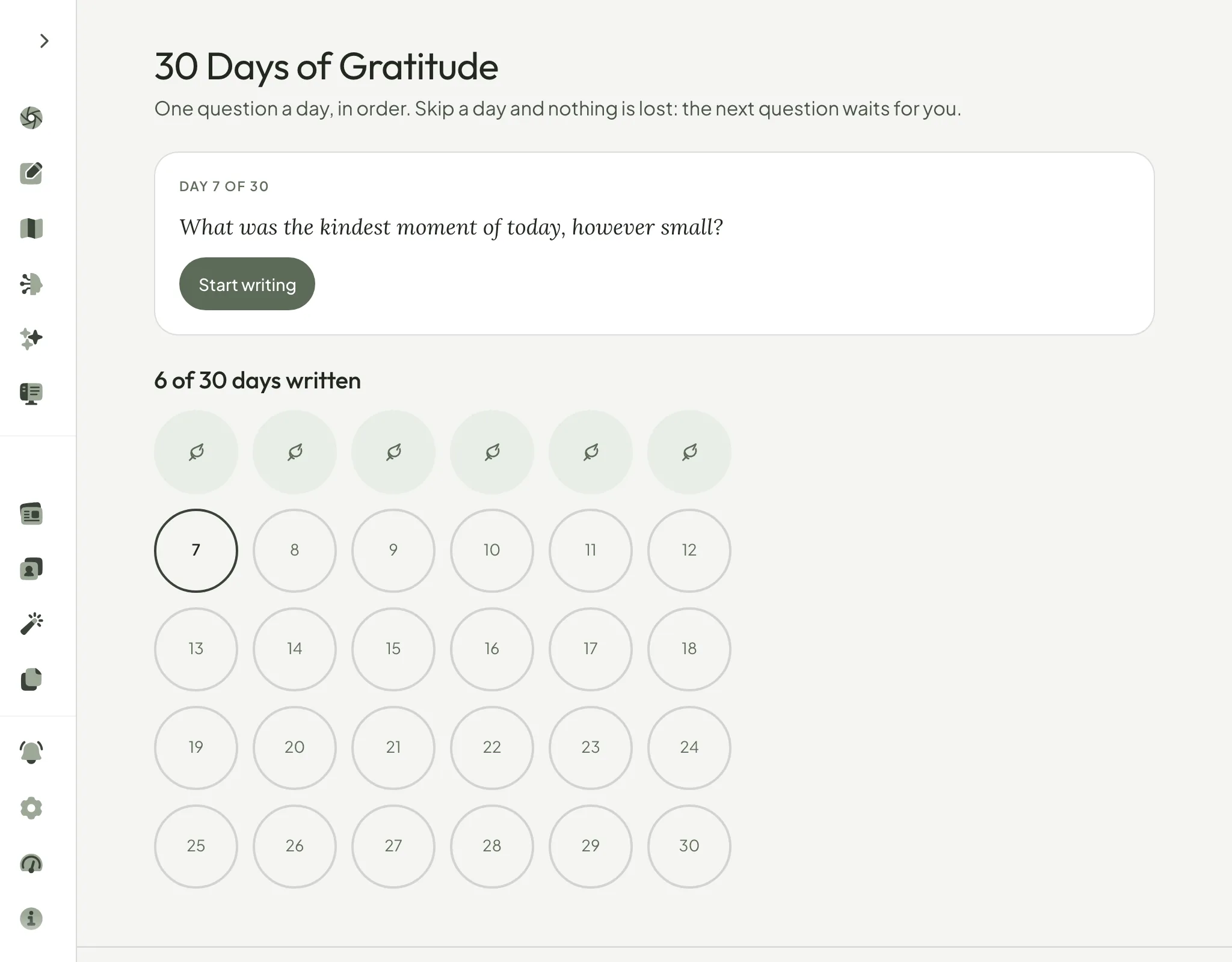
Write thirty days of gratitude, one question a day
30 Days of Gratitude asks you one small question a day, in order. Skip a day and nothing is lost: the next question waits for you.


One feature at a time: what changed, why, and how to try it. Written by Gabriel, who makes Pensio.
30 Days of Gratitude asks you one small question a day, in order. Skip a day and nothing is lost: the next question waits for you.
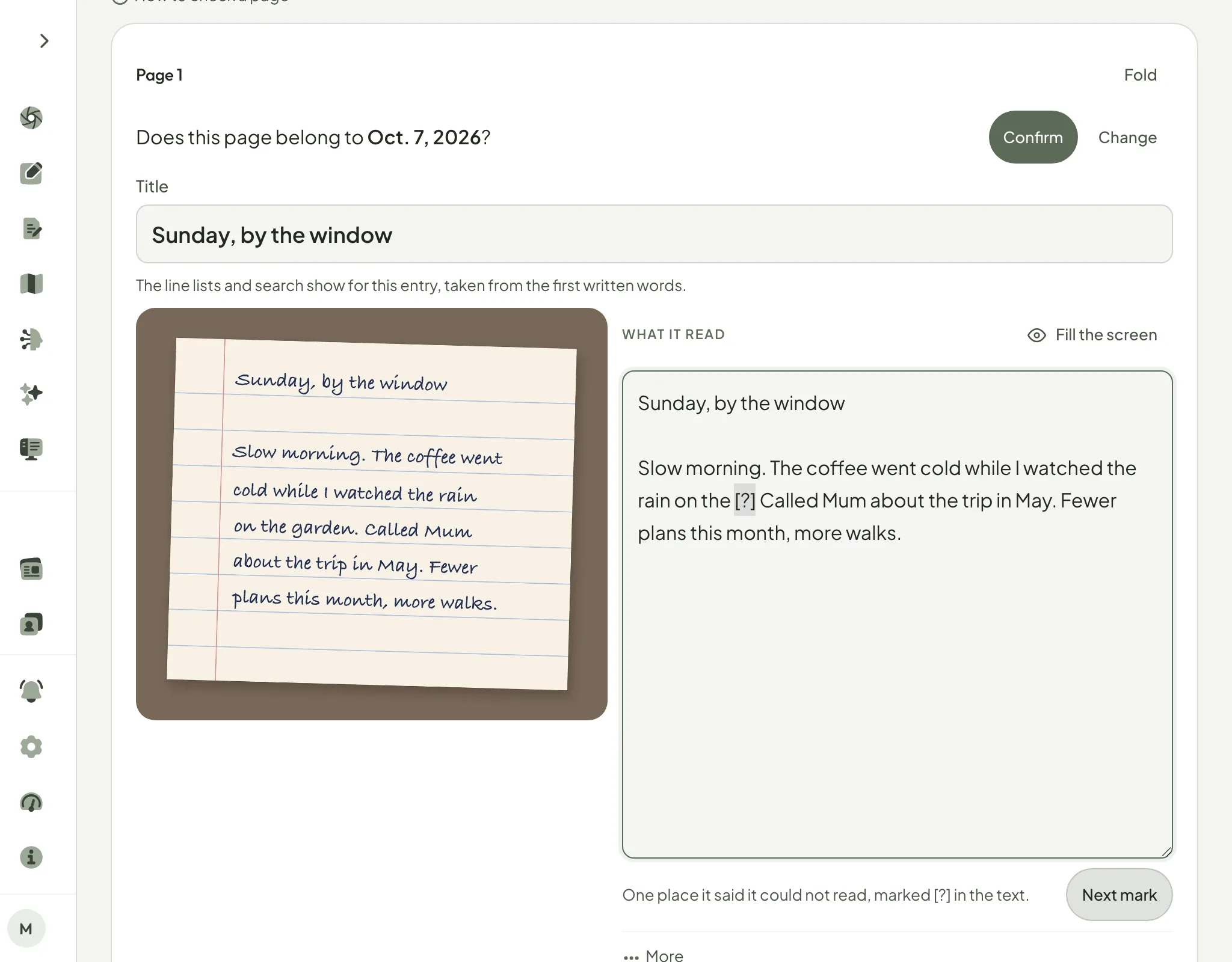
Photograph a page of your paper journal, check what Pensio read beside the photo, and add it on the day you wrote it. On Pro.
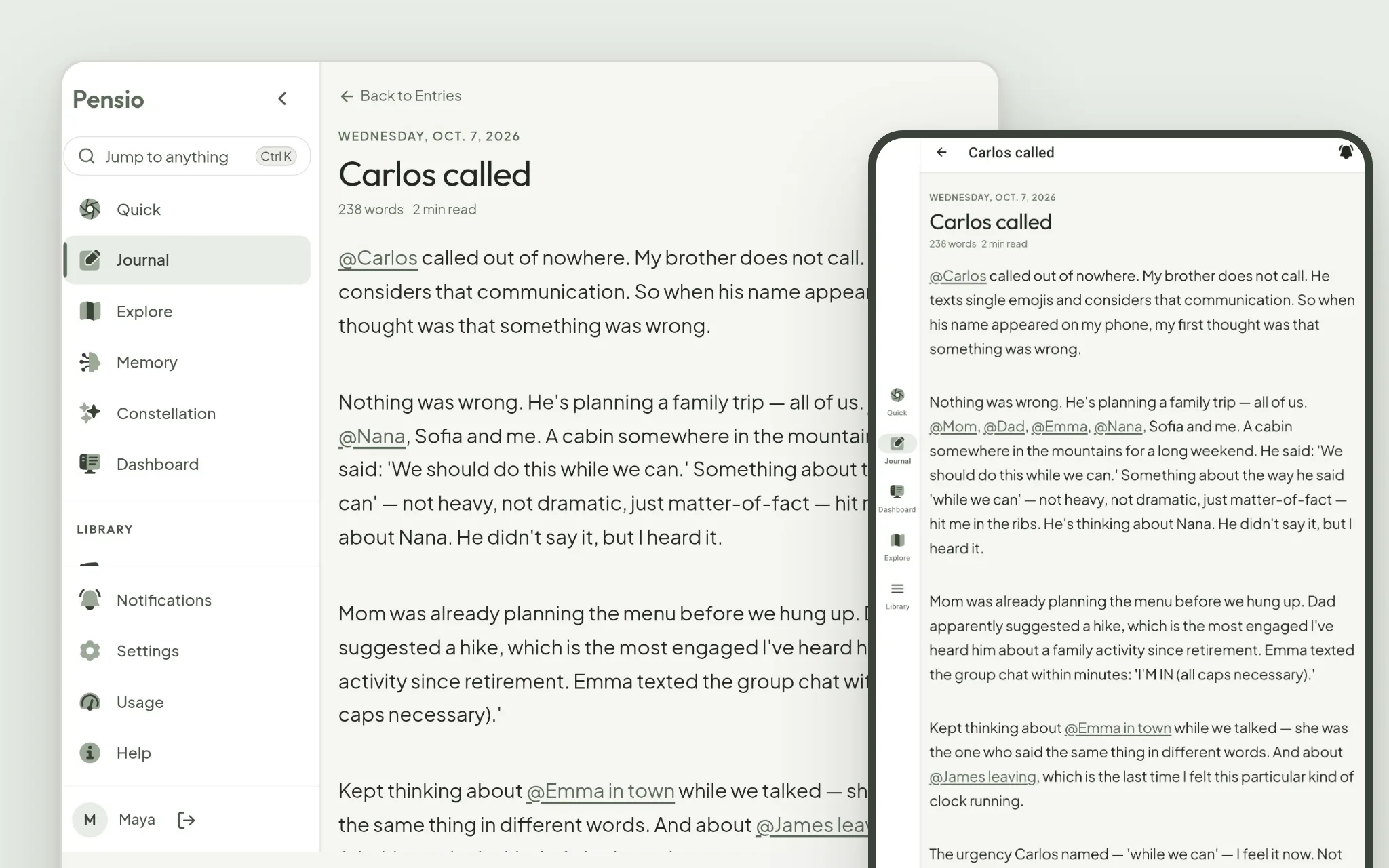
On a Chromebook or Googlebook, the Android app now looks and works like Pensio on a computer. On a tablet, the menu moves to the side.
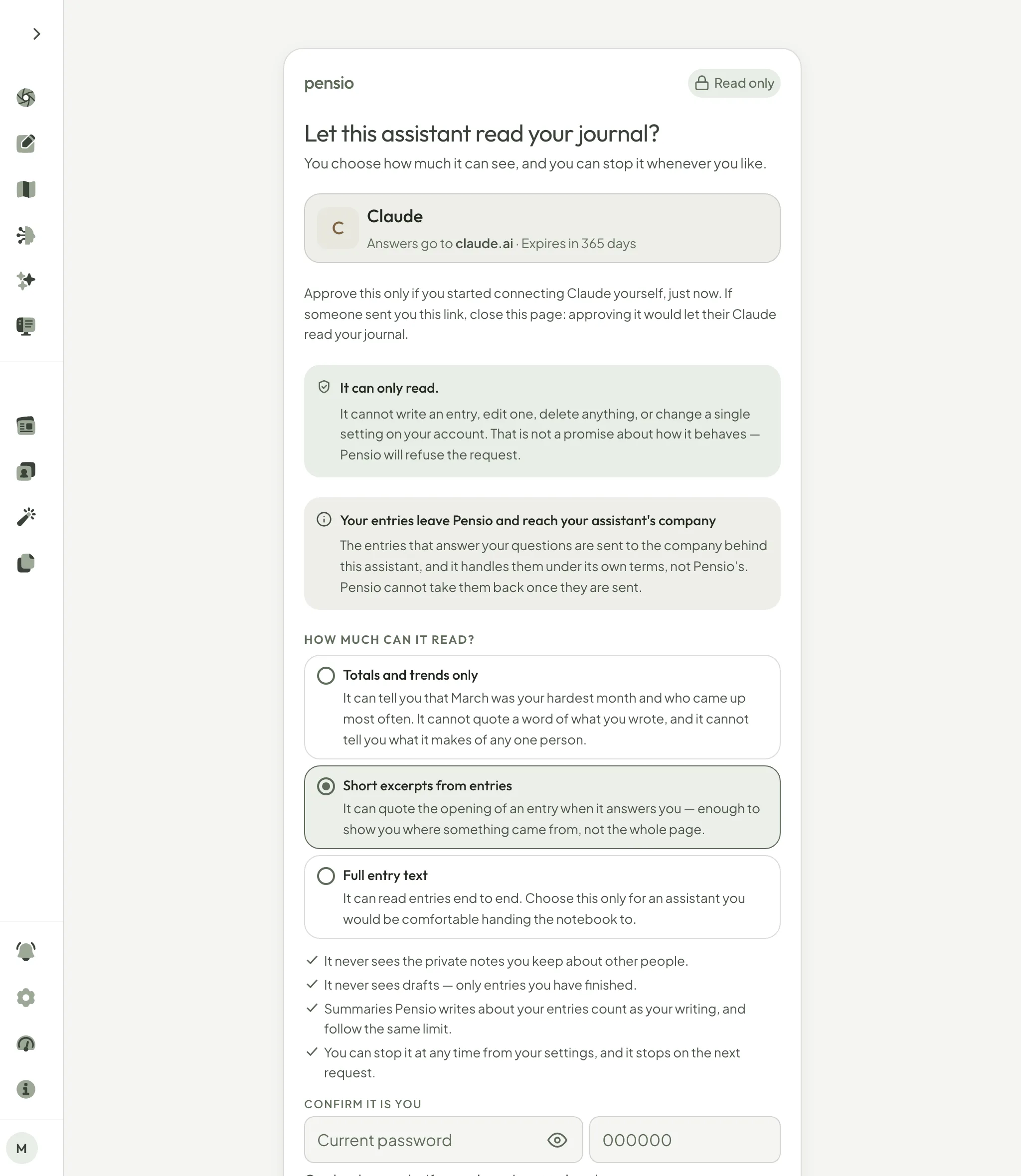
Connect Claude, ChatGPT, Visual Studio Code or Cursor, choose how much of your journal it may read, and ask it about your writing. It can only read. On Pro.
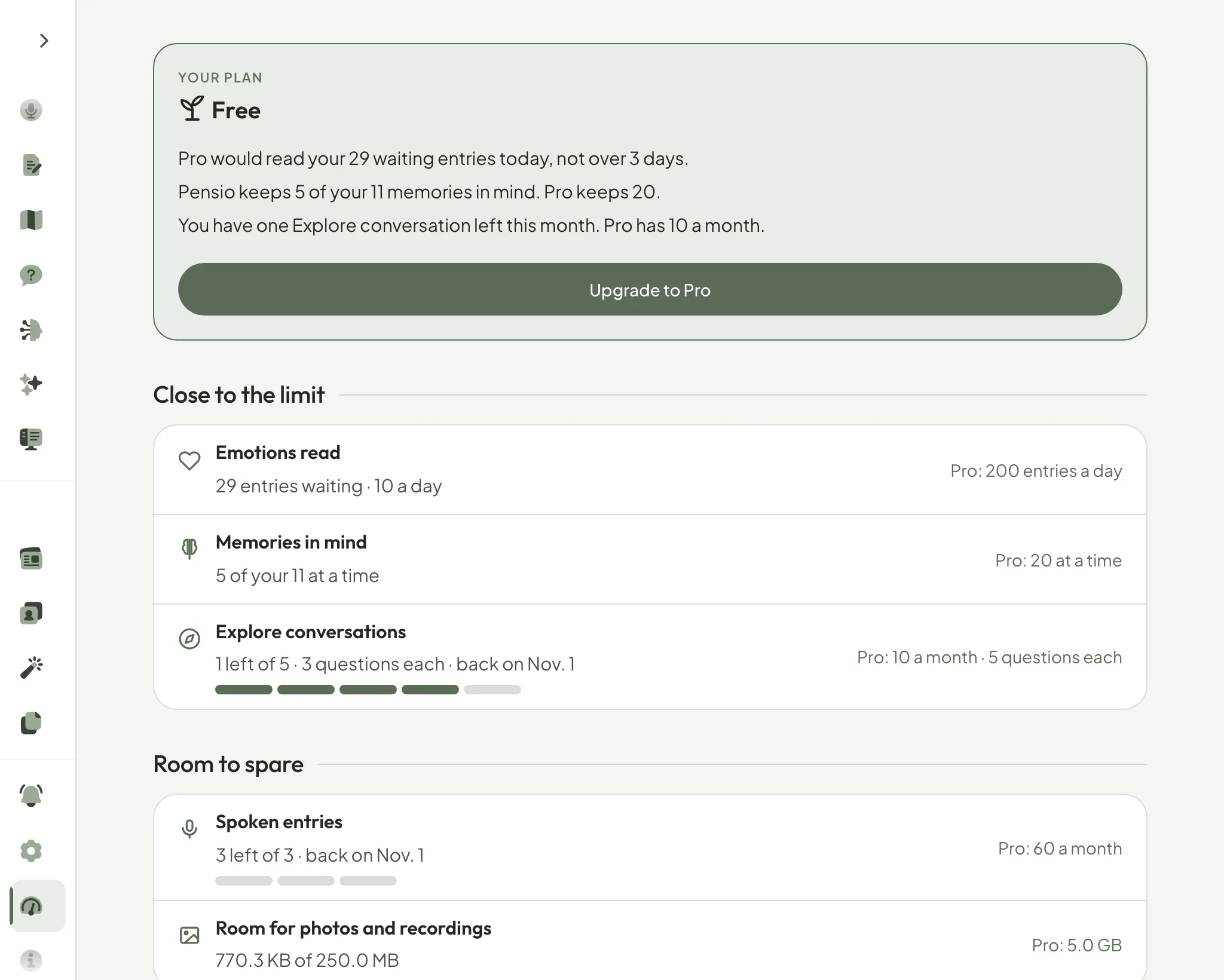
The Usage page now shows everything your plan includes, how much of each is left, and what is close to running out, at a glance.
At the end of each entry, Take this into Explore now asks about that entry: the people, places and moments in it, not the same two questions every time.
Turn on the app lock, and Face ID, Touch ID or your passcode opens Pensio on your iPhone or iPad, even when the phone is already unlocked.
Put a photo inside an entry, at the line it belongs to. Where it was taken and the camera details are removed before it is saved.
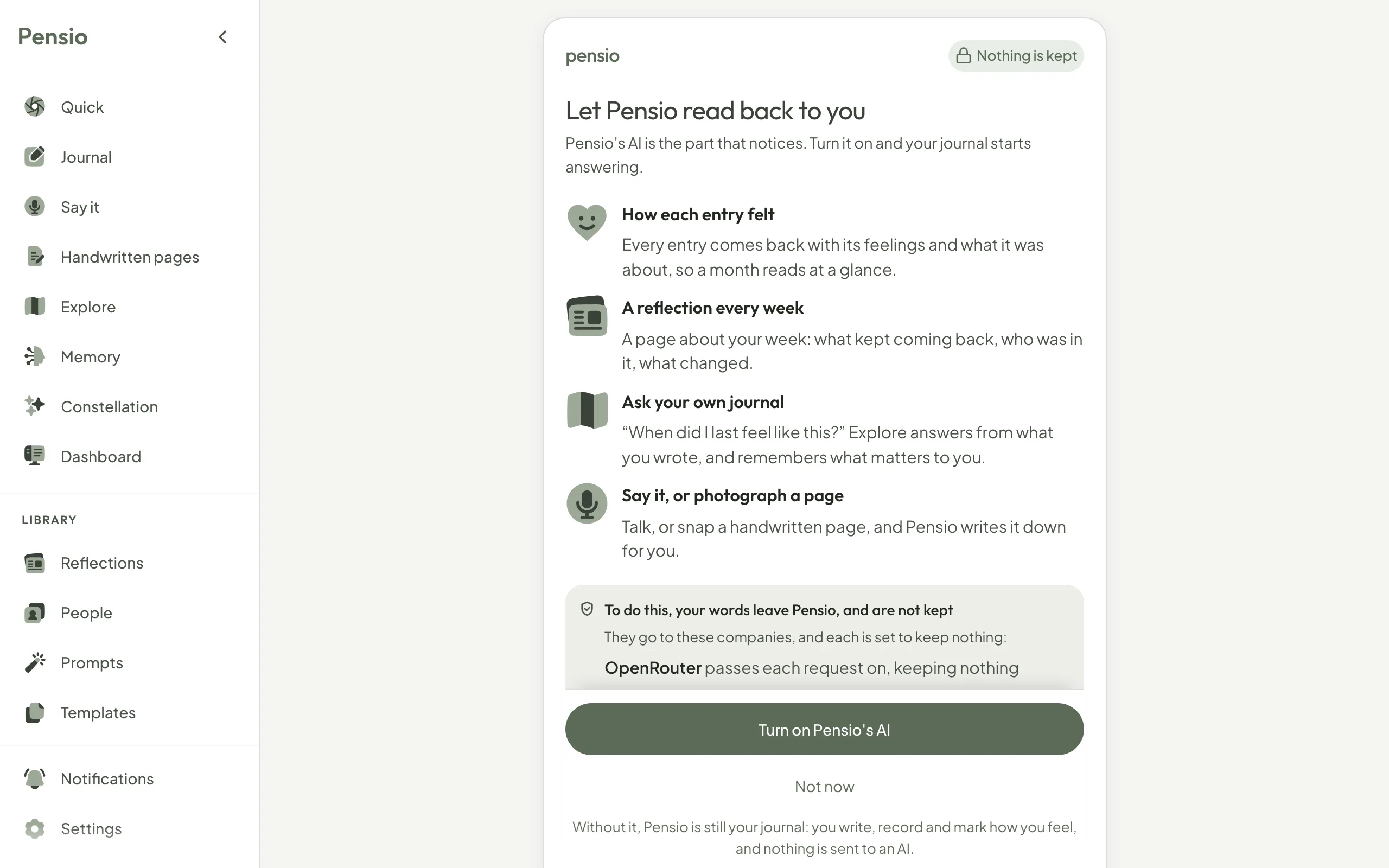
Before any of your words reach an AI, Pensio now asks, names the companies that receive them, and lets you change your answer in Settings.
Press one button and talk. Your words become an entry you can read, search and fix, and you choose whether the recording is kept.
One AI provider stopped promising to keep nothing, so Pensio moved that work to models that still do. The privacy page now names who handles your words.
Open Questions points out one thing in your own entries worth a look, and keeps the threads you left open, each with a way further in.
Add a passkey and sign in with Face ID, Touch ID or your fingerprint. Nothing to type, and nothing anyone can trick you into giving away.
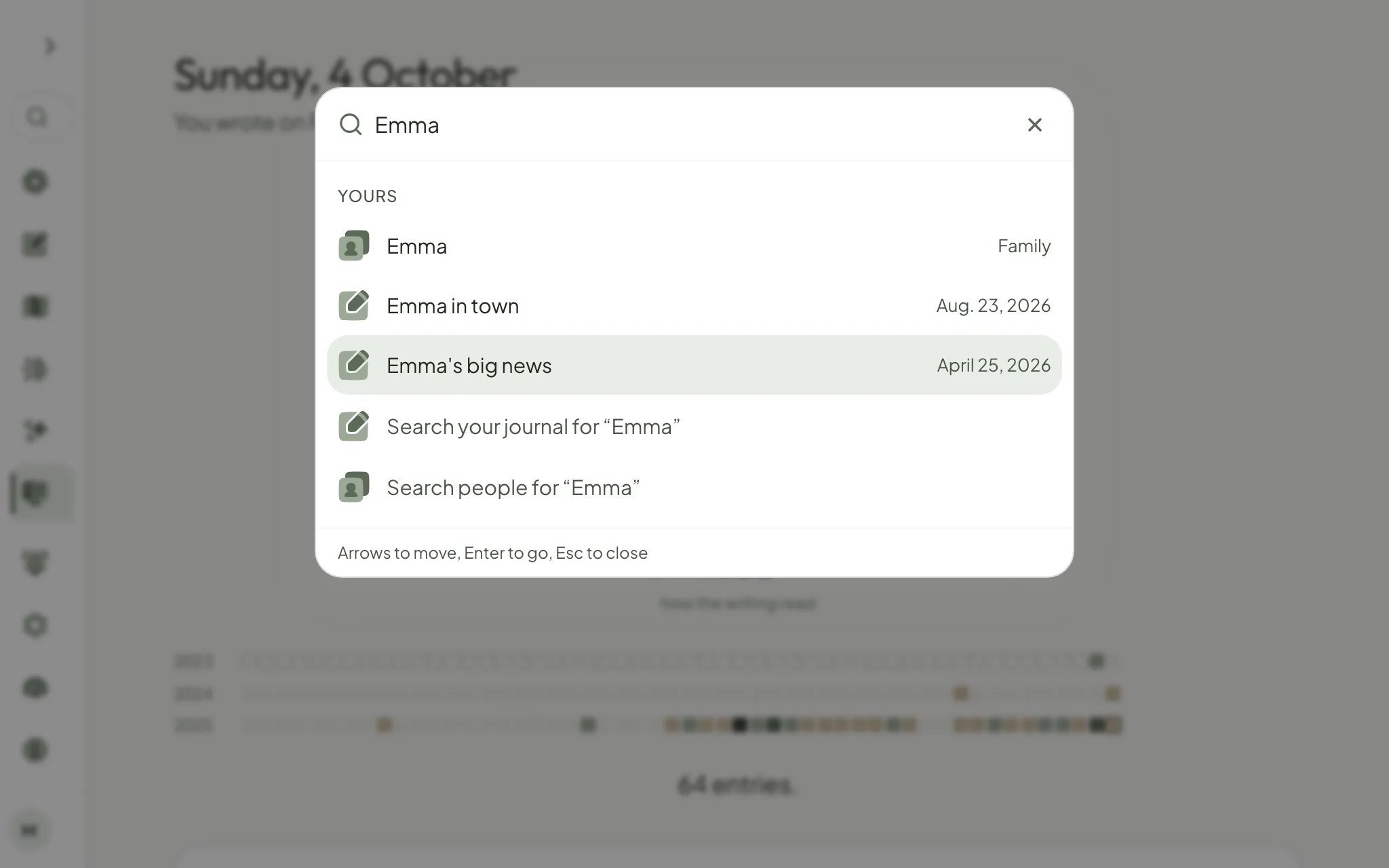
Press ⌘K or Ctrl K, type a few letters, and go straight to a screen, a setting, a help page, a person or an entry by its title.
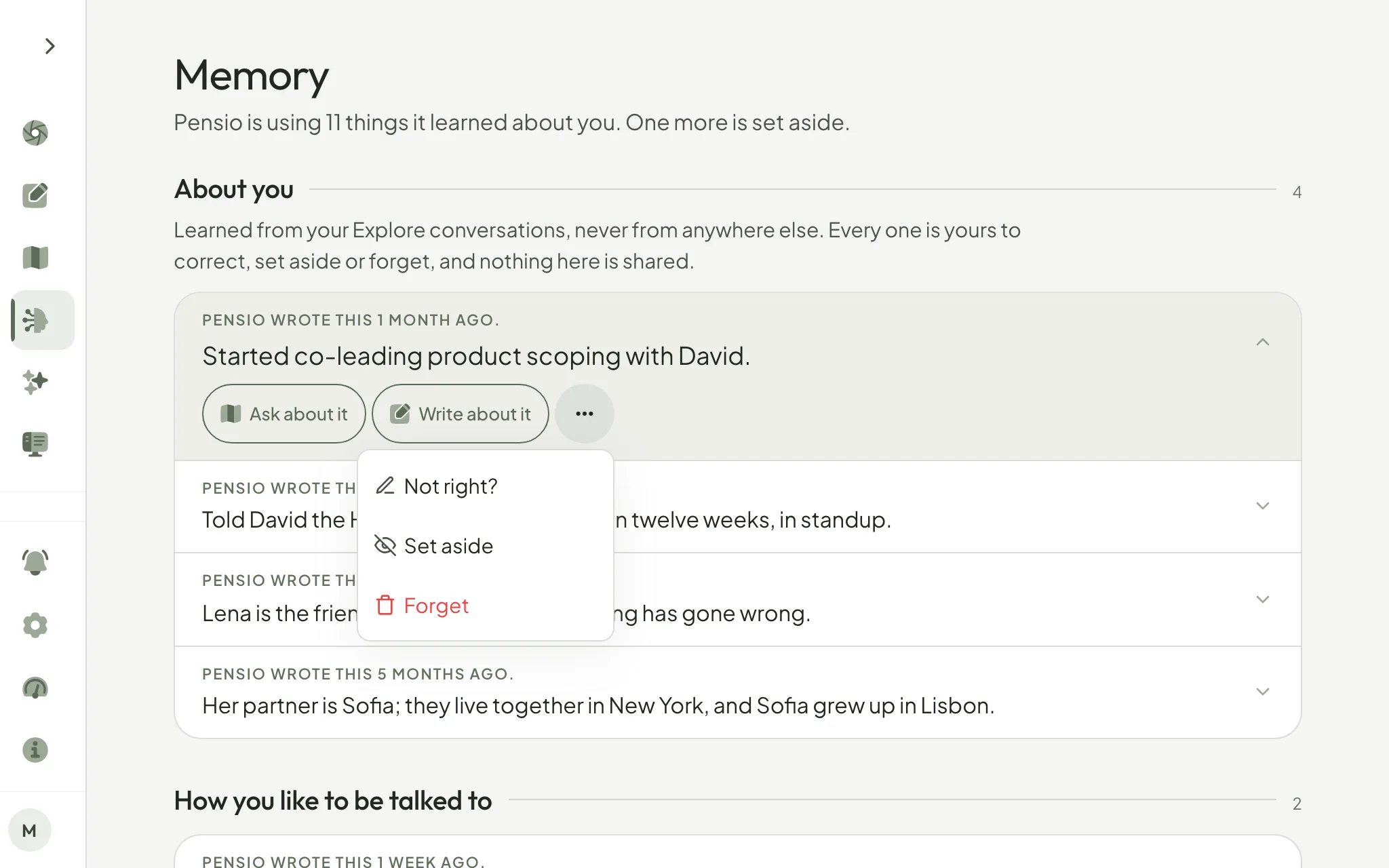
Memory has its own page now. Open anything Pensio remembers about you to ask or write about it, put it in your own words, set it aside or forget it.
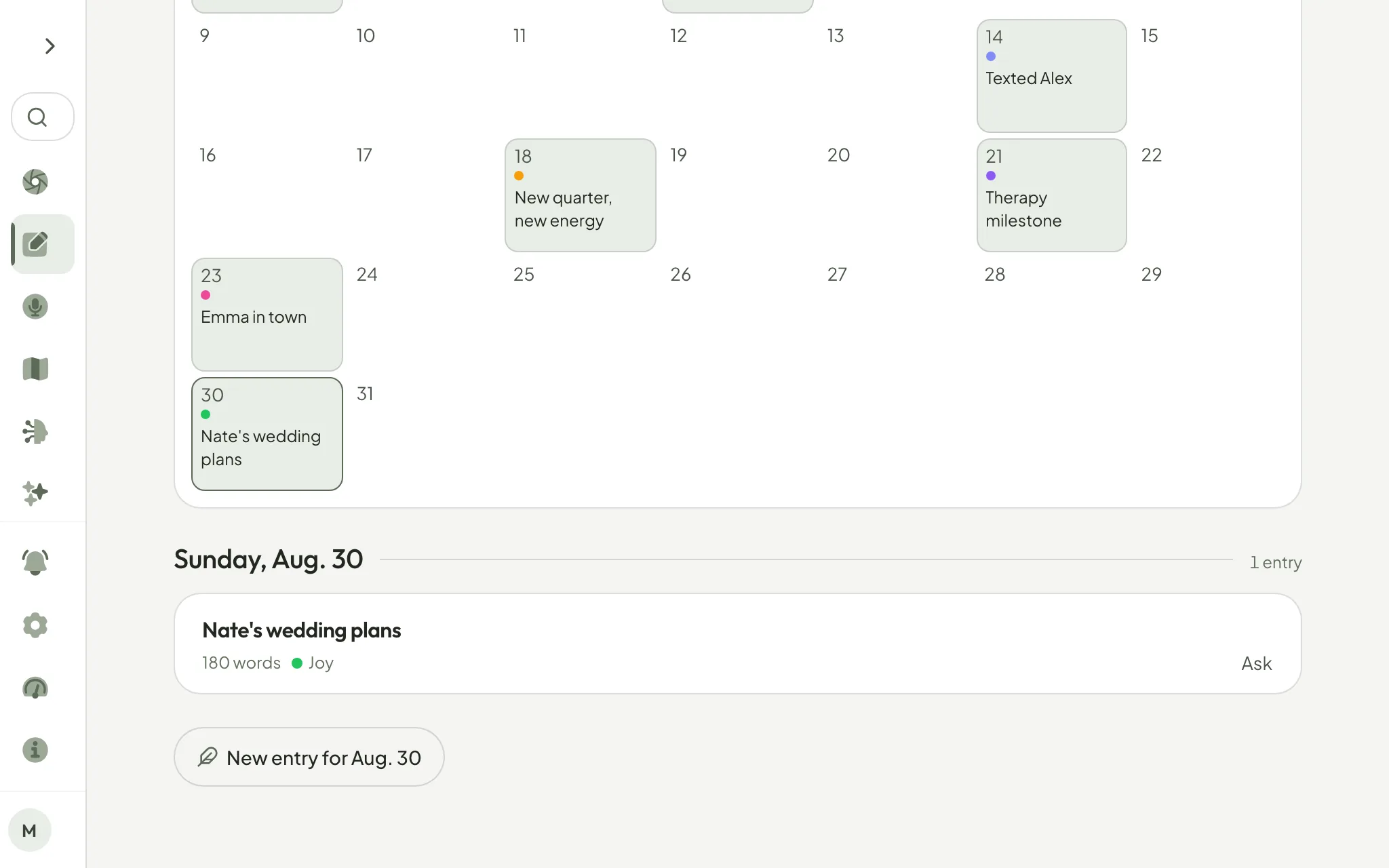
A calendar of your journal: every day you wrote, and how it felt, on one page. Tap a quiet day to write for it.
On a Mac, Pensio now has the desktop side menu, reads at Safari's size, fills the window and changes pages without a blank screen.
Deleting your account now waits a few days so one link can stop it, then reaches beyond your journal: billing and email too.
Tap a mood on the days words do not come, and Pensio now writes your week back to you, without sending anything to an AI model.
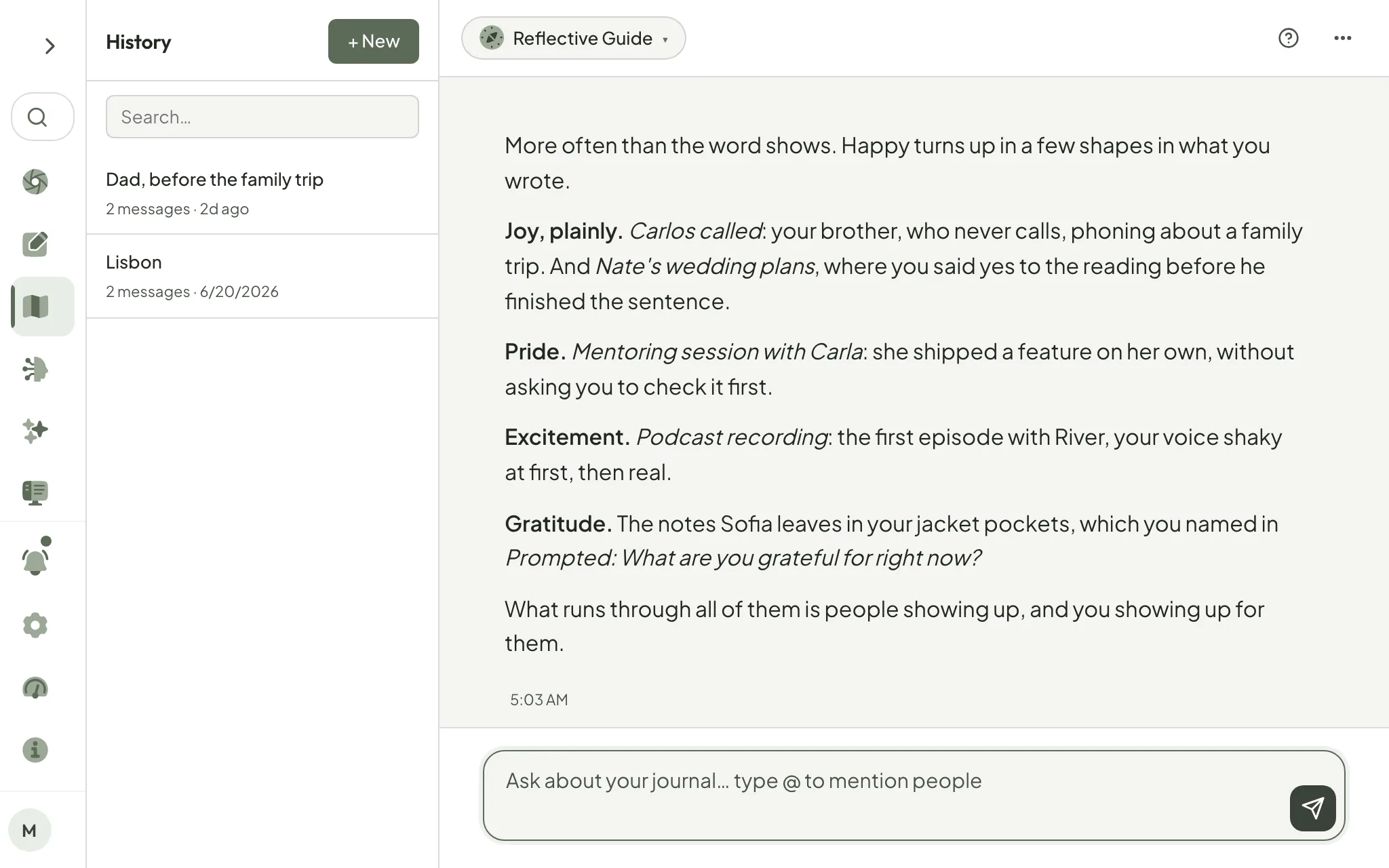
Ask Explore about joy, sadness or mixed feelings, and it finds every entry that felt that way, whatever the exact word.
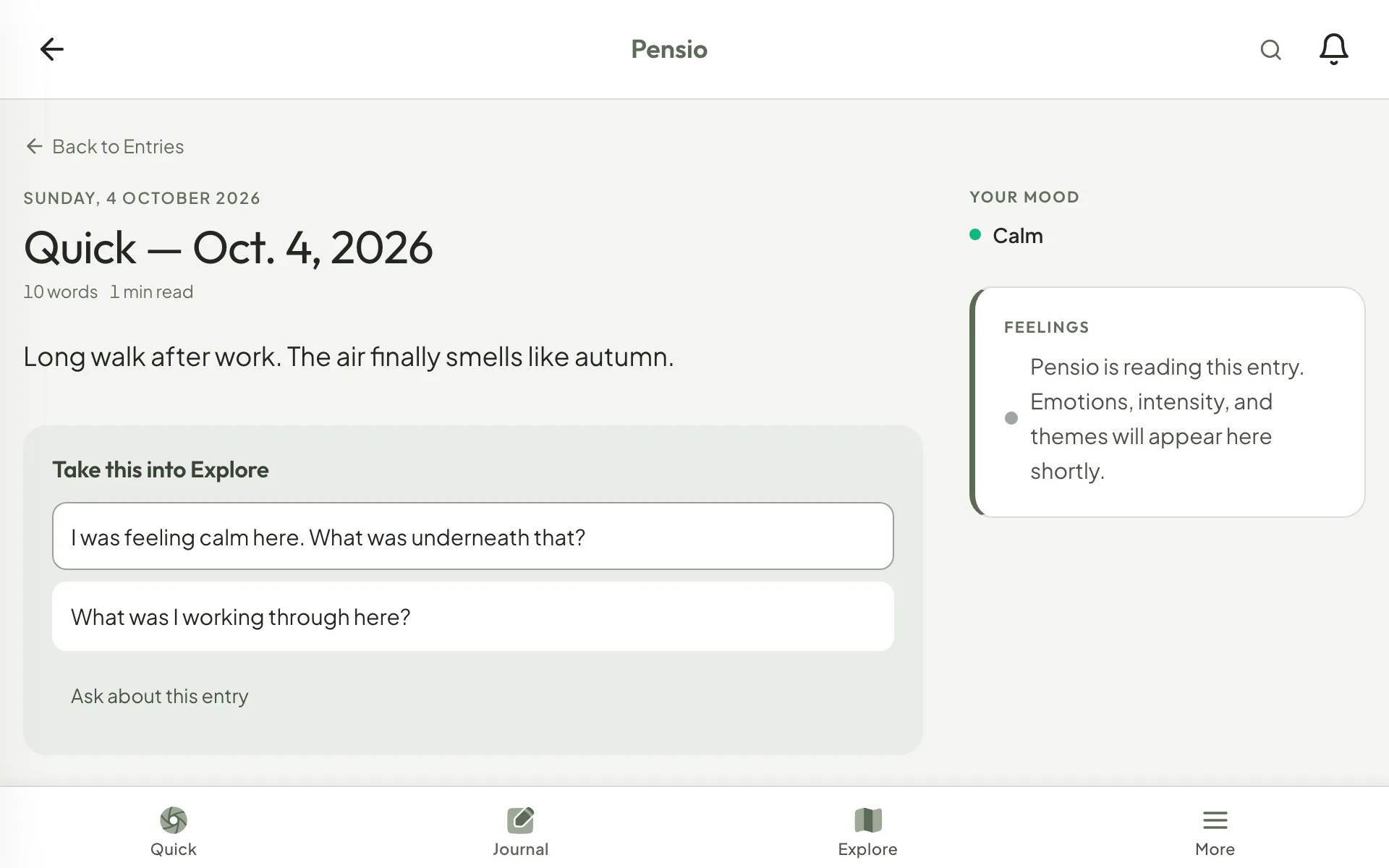
In Quick Capture, the mood you choose now stays beside your words, instead of being replaced by what Pensio read in them.
In private mode, your weekly email now shows the shape of your week, like days written and feelings found, without naming any of them.
Your reflections, check-ins, milestones and welcome emails now share one count that holds all week, so together they never pass three.
Emails, labels, Explore, feeling names, journal templates and the free tools now follow your language instead of slipping into English.
Download every entry as a Markdown file in one ZIP, with your photos and recordings in place, your people and your reflections.
Bring in a lot of writing at once, and Pensio now says how many entries it has read so far, instead of working in silence.
Turn on two-factor sign-in, and every way into your account asks for a code from your phone, not just your password.
Give your account a password, and your email address opens your journal in any browser, while Google or Apple sign-in keeps working.
The whole app has one quieter look: fewer boxes, your words on the page, and a Dashboard that opens with your year.
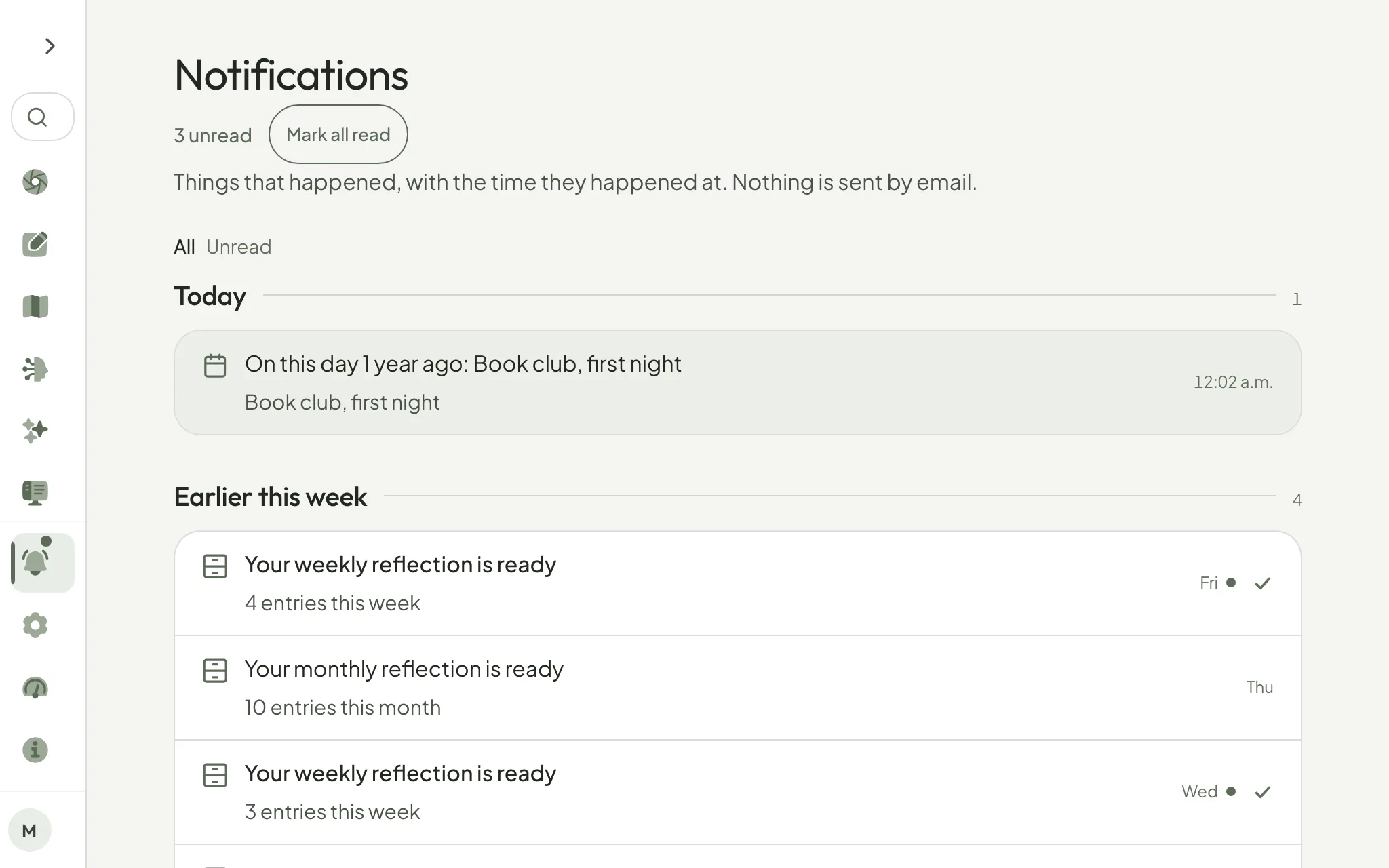
A check beside each unread notification clears that one without opening it, and Mark all read now sits beside the count.