

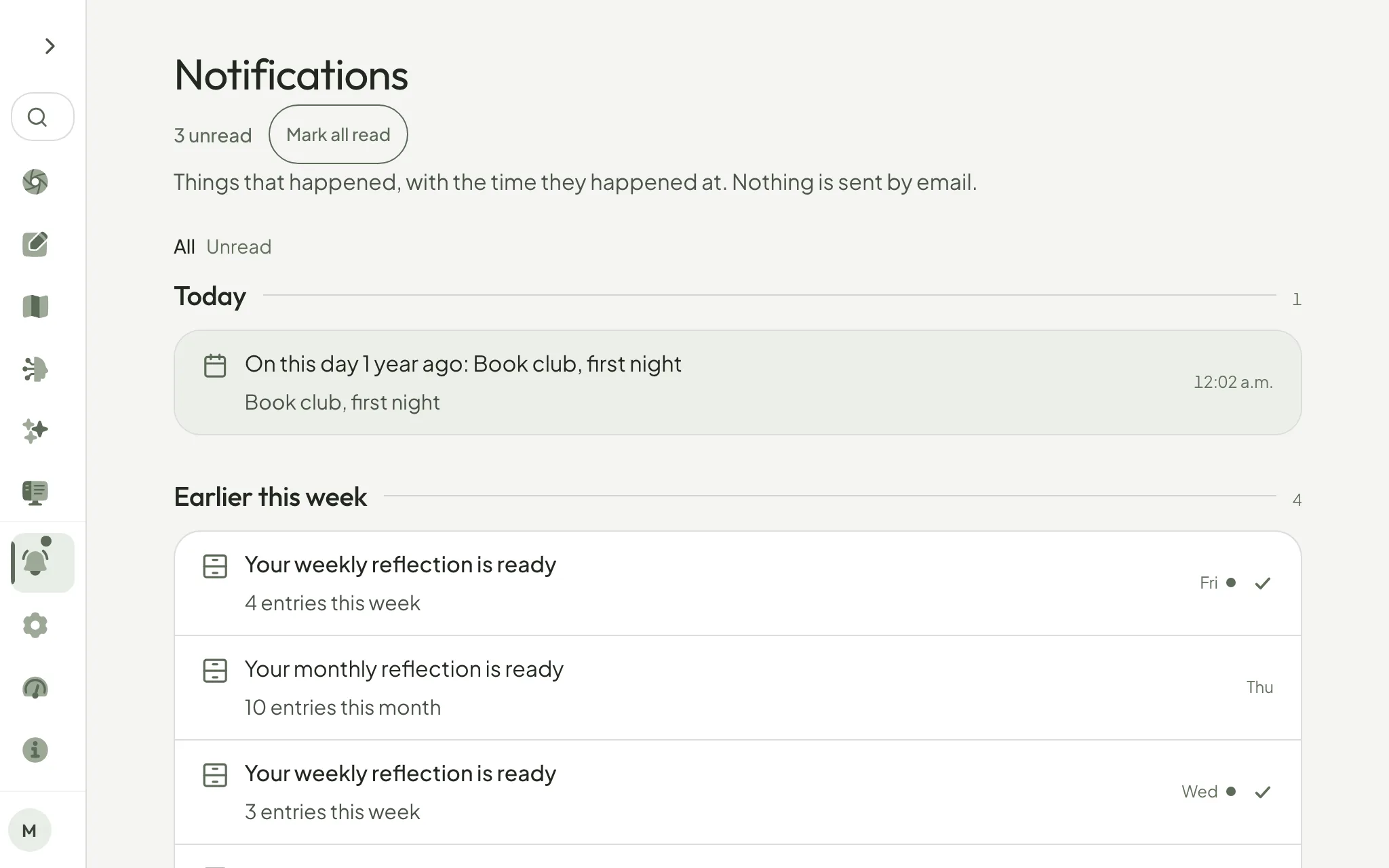
When Pensio was redesigned, the small check beside each notification went away, and with it the middle setting. To clear one, you had to open the page it pointed to. With fifty of them waiting, the only real choices were to open all fifty or mark all fifty read, and nobody catches up on fifty.
So the check is back. Beside every unread notification there is a quiet tick: press it, and that one is marked read without you leaving the page. Opening a notification still marks it read too, so both ways mean the same thing. And Mark all read has moved to the top, next to the count of unread ones, instead of waiting at the bottom of a long list.
The bell never sends email. It only shows the things that happened, with the time they happened at.
Open Notifications from the bell, and press the check beside one you have already dealt with.
— Gabriel